LDraw All-In-One-Installer 2015-01 now available
Posted by Huw,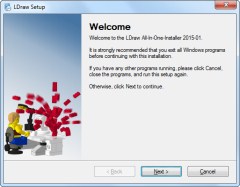
An updated version of the LDraw[1] All-In-One-Installer, (AIOI), has been released.
The AIOI supports Windows XP (Home and Pro), Windows Vista (all versions) or higher. On 64-Bit Operating Systems it will install in the "Program files (x86)" folder. The Installer will NOT run on Windows 95, 98, ME, NT Ver 4, 2000, or XP below SP2.
It contains the following changes:
- Upgraded to MLCad 3.5
- Upgraded from LPub 4.0.0.14 to LPub3D 1.2.3.443.2
- Upgraded to LDCad 1.5 Beta 1b
- Upgraded to MPDCenter 2.3.6.0
- Upgraded to LeoCAD 0.82.2 - 9088
- Removed SR3D and all required software packages
- Removed StickerGenerator
- Added tons of OMR-Models
- Copies MLCad.ini to LDraw root folder
- Copies MLCad.ini to C:\Users\<user>\AppData\Roaming\Ing. Michael Lachmann\MLCad
- Changed Registry keys "BT Software" to "LeoCAD Software"
- Fixed URL for Dutch MLCad tutorial
You can download the AIOI from:
Home > Help > Get Started > LDraw All-In-One-Installer
Many thanks to all the programmers who contributed to this release.
Willy Tschager
LDraw.org Content Manager
[1] LDraw is an open standard for LEGO CAD programs that allow the user to create virtual LEGO models and scenes. You can use it to document models you have physically built, create building instructions just like LEGO, render 3D photo realistic images of your virtual models and even make animations.
21 likes
20 comments on this article
Wow!
So the LDraw community is very much alive! I did a lot of rendering like 8 years ago. I think I will go back to it again.
Still nothing for the Apple community? LDraw not supported, POV-Ray not supported, just LDD?
Derfel - what about Leocad? http://www.leocad.org/trac
Hmm, still no support for MAC. Couldn't get LEOCAD to run either...
@Derfel
There is a limited selection for Mac but it is by no means neglected.
For LDraw, I use Bricksmith (http://bricksmith.sourceforge.net). For POV-Ray I use http://megapov.inetart.net (unofficial build of Pov-ray 3.7, seems legit and runs ok for me)
I would also highly recommend http://www.mecabricks.com
Note that LDD will probably not keep working much longer, it still runs on MacOSX ElCapitan but it is missing all the 2015 parts (Grrr) and none of the bricks have outlines so you can't see how the bricks interlock.
Also, I'd be very interested in LPub3D for the Mac - it's written with the QT interface, so it should be cross-platform, right?
I would also like support for MAC
I'll add another voice for a Mac Support but can't help but think its a waste of time and effort.
+1 for Mac. Love the fact you have to state it won't work on a 20 Year old operating system!
This suite of apps is so versitle--I'm very glad it's still being updated by the community! I've even used some of the more obscure apps, like the one that draws hoses and other flexible elements. It's just amazing.
What is the difference between LDraw and LDD?
LDD is made by Lego and uses its own file format. LDraw is an independant (and much older) standard used by several projects including the original LDraw as well as MLCad (and I believe LeoCad, though I've never used that one).
LDD will do outlines on bricks, you must go into preferences and select it and restart.
LDD is made by LEGO and has the limited palate of Pick a Brick. LDcad / LEOcad / MLCAD all use the (community raised) LDraw parts library. Whilst they have more 'strange' bricks and thinks like stickers, I use both. Beginners may like LDD more though. The specialist bricks are not on LDD due to copyright. Things like 1 x 8 tile for "Whitehouse" such as a name on an Architect model. LDcad does have these parts but you cannot use them in LDD. Like I say the parts in LDD are the ones you can get on Pick a Brick.
^ Not all of them can you get on Pick a Brick.
Is there a LDraw for Dummies or similar type of helpful instructions?
I have found LDraw almost impossible to use. It is far from user friendly, and I'm no slouch at this sort of stuff.
This is an original article I remember and has a couple books listed that you may be able to find still.
www.ldraw.org/article/74.html
Is the included MLCad version really 3.5? On its official site I can only find 3.40; can this newer version be obtained standalone elsewhere, and what does it bring new over 3.40?
@AVCampos. Yes it's MLCad 3.5. I guess it will go live soon on the official site. No, we do not offer a standalone. This is a pure bugfix release.
Bug-Fixes:
----------
- BFC statement changed between load and save
- Saving ghost statements
- color dialog crash while using custom colors
- Add link for arrow generator in help module
- Corrections for new operating systems Windows 8 ff
- Undo with primitives
- Unknown part display in part list
- Toolbars not displayed when starting
Changes:
--------
4) Rotation vector is now enabled again, but actual values are not calculated
back when the dialog is opened.
OK... I like that it comes with the newest LeoCAD (I've heard great things about that) but why is SR3D gone? I know Sergio died recently... but is his software not still usable?
26 steps just to start up MLCad for the first time. You've got to be kidding!
www.ldraw.org/article/74.html links to books 13 years old.
There's definitely some room for improvement here.
^Yeah. The primary reason I still use LDD, despite it being roughly a year out of date now, is that it's so intuitive. I would switch to LDCad or MLCad... but if it takes a PhD in computer science and more patience that is reasonable for a human being to run them, the answer is NO.