Help us tag parts
Posted by Huw,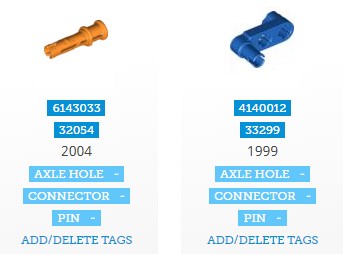
Back in December we added enhancements to the parts database which included tags to enable elements to be found more easily. You can read the original announcement here.
CapnRex101, myself and a small team of volunteers have been adding tags whenever we get a moment but there are still thousands of parts that have not yet been tagged, and thousands of others that could do with more being added. That's where you come in...
It is now possible for anyone who's logged in to add tags to parts. You'll see an Add/delete tags link next to parts in the listings which will open a dialog box to enable you to add them. So, when you're browsing parts and think 'why isn't this part tagged {whatever}?' you can now add it yourself.
You can apply existing tags to parts but not create new tags, to prevent their proliferation. The list of existing tags can be viewed here. Please take a moment to familiarise yourself with them and how they are used. If you want a new tag created, just get in touch with us using the contact form below.
You can also delete tags that you have applied but not those that others have added. Tags are recorded with the user ID of the person who added them so we'll be able to identify those who are being unhelpful and take the necessary action.
If you'd like to get more involved in helping us maintain the parts database, please get it touch.
Thank you and good luck!
54 likes
51 comments on this article
Is it possible for logged in users to add tags to set entries as well? Sometimes I search by tag and find sets that clearly qualify for them omitted, so it would be really useful to be able to sort them out.
Not currently.
Just done 45 minutes or so. Hope that helps
Just did a quick few easy ones... imagine if all users just did like a few... project done! Good luck!
^ Exactly! It's very tedious doing more than a few at a time but if enough people help it'll be done in no time.
@Huw: A tag for "train" or "train tracks" would be helpful (e.g. 74746 straight rail).
The ability for users to tag minifigures would be awesome as well, might be worth considering for the future :)
Sounds like a therapeutic sort of thing to do. I'll browse the tag list and jump in later.
Did a few. Hope that helps, might do more latter.
This sounds like a great idea, and I'd definitely love to contribute, even for just a few pieces - one thing I don't quite understand though - do you send a contact form in for each piece you want to tag? And if so, do you write "I want to tag a part," or something like that?
Once again, I'd love to help out, and would be honored to contribute!
^ No! You only need to contact us if a new tag needs to be created, like 'track', which has been suggested above. (now added, BTW).
Assigning existing tags to parts needs no intervention from anyone.
@Huw, I've done a few. It would be useful (i.e. faster for me) if the edit box that pops up gets focus, so you can just start typing the tag, rather than having to click in there with the mouse first.
^ Good idea. I'll see I can work out how to do that!
@Huw
But what if there is some hoodlum that thinks it would be a jolly good joke to go through and mess up the whole database? What would we do to prevent such a catastrophe?
As I said in the article you can only delete your own tags and tags are identified with the user that added them so can thus be removed in one fell swoop quickly and easily should the need arise.
But, everyone here is sensible, right?
^haha. That’s what I USED to think.
Do we have any "beard" or "glasses" tags? Would be handy for sorting out the over a thousand minifigure heads!
^ Not yet but I do plan to add another layer of tags like that e.g. for minifig accessories (weapon, tool, utensil etc.), food (fruit, baked goods...) and so on.
Let's get the basics done first!
How about a 'fabric' or 'textile' tag?
Also, there does not appear to be a Click Hinge Female tag, only Click Hinge Male.
My employer might disagree, but fantastic idea! Happy to help this place when I can.
As another tag possibility, what about 'magnet'? (Most of those parts might have that in the name already though.)
EDIT: Also, I just tried adding the tag 'Slope' to 41747, which failed because it said it had already been removed. Is that because a regular user tagged it and then removed it? Or did an admin remove it permanently? The strange thing is the reverse of that part (41748) has the tag 'Slope' still.
Will size tags be added e.g. 2x4 or maybe ‘width 2’, ‘length 4’?
A few suggestions..
Boat / Nautical
Animal / Creature
Money / Treasure / Jewel
Windscreen / Windshield
Dome
Architectural
Ladder
Structural / Support / Column
Bar / Pole
Some more suggestions for additional tags:
Types
> Sail
> String
Attributes
> Cloth / Fabric
> Metal / Steel
> Rubber
> Transparent
I suggest a tag "Spinjitzu" for specialized Ninjago spinner elements, like (https://brickset.com/parts/design-40923)
What should we do if we spot something with incorrect tags? I noticed a couple of nanofigures and microfigures with the wrong tags.
I added the correct ones, but now, they all have both and as we can't edit tags added by someone else, I can't change that.
See: https://brickset.com/parts/tag-Microfig;Nanofig
Also, should there be a 'Wheel Axle' tag? I see some (6157, 4870) are tagged as 'Wheel', while others (4600, 4488, 2926) are tagged as 'Pin'.
Another tag idea could be 'Snot' (for anything with studs / anti studs on the sides, bottom, etc.)
In the case of some of these tags, it would be useful to know when they are expected vs. when they are not (should everything with a stud be tagged with 'Stud' or only things with non-normal studs like 4733 or 4360?)
I've added
Textile
Magnet
Windscreen
Dome
Ladder
Column
Bar
Metal
Rubber
SNOT
Wheel axle
There is already spinner for the ninjago parts
^ I would tag 4600 and those other similar parts: plate, modifled, wheel axle and not pin, so I have removed it.
^^ As for removing tags, I can't obviously let everyone do that but if people want to get more involved I can grant them permission.
The 'problem' with any tagging exercise is that what I think of as being a brick is not necessarily what others do, and vice versa. Take a look at https://brickset.com/parts/tag-Brick and see which ones you agree with.
Them being tagged is not necessarily wrong, given the tagger obviously thinks of them as bricks, but are they all what someone looking for 'brick' would expect to see in the list?
There seems to be two of the same tag: "Bar" in Basic Element Types and "318 Bar" in Element Connections. What's the difference between the two?
Well spotted, I shouldn't have created Bar. I'll remove it and re-assign.
A little off topic but still about tags, would it be possible to put all minifig/minidoll/animal/etc parts in their own category, rather than have them flooding the system category? Its really annoying having to manually filter out 50 different minifig tags (some of which have such long names that the little - button is hidden) every time I want to search through what parts are available in a given color.
Huw, I would like to help, but I'm not too sure how you do this.
Example: 4632577 has Axle Hole - next it has (Large Ball Joint Female) then the next bit has (Pin Hole), how do you get the three tags. Do you add the first one then go back and add the next one and so on.
Love to help but need to make sure I get this right before doing any.
Now, that seems to be going well. It's gone from 'thousands of untagged' parts to a good 200. Most of those left I've never seen before :) Seem to be the tough ones. And I suspect there'll be some cleaning up to be done after this exercise (but as Huw said above, in the end we won't all agree on every single tag)
@magmafrost, not easily because the 'system' parts belong to comes from LEGO's data. However I will see about adding another tag which encompasses them all so they can be excluded more easily.
@lego stock, you can add as many tags as needed at once, or come back and add them later.
@kfr, yes when I looked yesterday it was just the odds and ends left. There's no need to tag everything if they defy categorisation.
@Huw Sadly someone has added and then deleted the 'Track' tag from the Rollercoaster track portions that are in the remaining pile. Can this be fixed as the other rollercoaster track elements are tagged 'Track' Thanks :-)
wow....there are some not very 'miscellaneous' with just the Miscellaneous tag which is not entirely helpful...
^^ Sorted.
^ We don't really need a miscellaneous tag, so I'll remove it. Not everything has to be tagged, if it defies categorisation!
This is almost therapeutic. Is there any way to see how many tags a user has added? Would be a neat stat
^ You are currently 2! Thank you!
Fulinkazan 740
fakespacesquid 711
alyxavior 635
SuperSlacker 483
Google54 420
Dlrohrer2003 339
emmtwosix 309
eMouse 241
darkstonegrey 224
kinto 221
omnium 153
@Huw:
With contact form do you mean the e-mail contact at the bottom of the page? It currently doesn't show any option that refers to the parts database, unless the 'errors in the database' category is meant.
My first idea after a quick look would be 'chrome'/metalized parts, maybe there's an interest for such a category?
Also I'm quite curious about your call for getting more involved in the database. Do you have any specific ideas or needs?
EDIT: Category 'Assembly/Pre-assembled' for stuff like turn-tables, hinges, animals, pneumatic cylinders etc. might be a thing.
I’m wondering if there can be “soft” tags, meaning multiple hidden values for one tag? I feel like U.S. people will search “tire” not “tyre”. But perhaps you don’t want multiple spellings as separate tags, so maybe “tire” can redirect to the current tag “tyre”.
Thanks for fixing the track tagged parts! I may have been the dingbat responsible for that. >_>
@Atuin, yes the contact form. any option will do, they all end up in the same place.
Chrome parts can be determined form their colour so there's no need to tag them as well.
Ideally I'd love to recruit a couple of trusted parts experts who can correct errors and anomalies in the tagging on an ongoing basis.
@Huw I'd definitely be interested. I've noticed a few parts that have been mis-tagged so far and I'd love to have a bigger hand in the process
Is there a way to open up adding tagged to already tagged sets? I remember searching for various "construction" town sets and finding many not marked with certain types of trucks (even though many are tagged as such elsewhere).
^^ Thank you, I'll be in touch, probably early next week!
Oh yes!!! This is awesome!!! Thank you so much.
Hello, I am logged in. I am viewing the following page:
https://brickset.com/parts/tag-none/page-2
However, I do not see any button add/edit tags below the part entries. Should I request some sort of permissions to do so?
If you are logged in you should. Take a screenshot and contact us via the form below if you still can't see it.
Can someone please put 4264362 or the 1 x 16 with groove. The piece where the garage doors slide in to.
....and also the number of specific items in a set that can be put in the database is 200 meaning if the set has more than 200 of that particular piece in its contents, the database shows only 200. Check out the Taj Mahal for instance...TY